
GolfCompat
SkyTrak with E6 CONNECT: Documented Setup Records
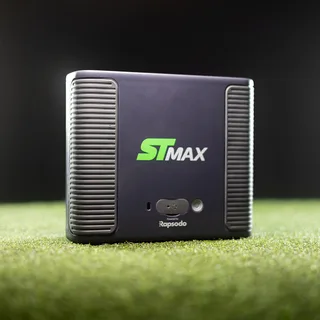
Records list the SKYTRAK ST MAX with E6 CONNECT as supported, manufacturer-listed; connection method, entitlement tier, accessories, and firmware not stated. E6 CONNECT runs on Windows 10 64-bit machines or listed iPads. The ST MAX guide prints 10 feet (3.35m) for length and width. The records state what a setup documents, not that any room is safe to swing in.
Captured connection and entitlement records
Publisher listings only. GolfCompat has not tested these pairings.
Table help
Scroll sideways to read all columns. Keyboard: focus the table area and use the arrow keys.
| Monitor / software | Support | Connection evidence | Listed by | Publication tier | Complete requirements |
|---|---|---|---|---|---|
SKYTRAK ST MAX | Support documented | Not stated by SKYTRAK | Monitor manufacturer | Listing published by SKYTRAK | Listing only; requirements not stated by SKYTRAK |
Requirements and source notesConfirm unstated requirements with the manufacturer before buying. Compatibility as published by SKYTRAK; read by GolfCompat on October 18, 2026. GolfCompat has not tested this pairing. Source cautions
| |||||
SkyTrak+ | No E6 Connect listing for SkyTrak+ has been verified in GolfCompat's captured records as of October 18, 2026. This is not a statement of incompatibility. | ||||
Documented host and licence records
Table help
Scroll sideways to read all columns. Keyboard: focus the table area and use the arrow keys.
| Platform | Native application | Documented requirement |
|---|---|---|
| Windows | Yes | Windows 10 64-bit |
| iPadOS | Yes | iPad Pro 1 or later | iPad 5 or later | iPad Air 3 (or later) iPad Mini 5 (or later) |
Published PC requirements
- Processor
- Intel i5 Processor
- Memory
- 8GB RAM
- Graphics
- Nvidia 1070 Graphics Card or equivalent (Dedicated GPU with DirectX 11 Support)
- Storage
- 25GB of Hard Drive Space
- Internet
- Internet Connection
| Software | Listings with a captured record |
|---|---|
| E6 Connect | 6 |
Monitor placement and room records
- Name
- SkyTrak+
- Sensor placement
- Not verified in the cited records.
- Measurement technology
- hybrid
No model-specific clearance measurement has been verified in these records. Obtain the exact model’s installation instructions before assessing equipment fit.
What the SkyTrak with E6 CONNECT records carry
Two compatibility records are captured for this pairing. The SkyTrak+ record carries no support status, connection method, or listing source; its entitlement tier, required accessories, and firmware or app version are not captured. The SKYTRAK ST MAX record states a supported pairing, listed by the manufacturer: SkyTrak's indoor golf simulator guide names E6 Connect among the platforms the ST MAX works with. That record's connection method, entitlement tier, required accessories, and firmware or app version are all not stated.
The host computer and the room
E6 CONNECT's platform records list native support on both Windows and iPad. On Windows the captured record states Windows 10 64-bit, an Intel i5 Processor, 8GB RAM, and Nvidia 1070 Graphics Card or equivalent (Dedicated GPU with DirectX 11 Support). On iPad the record lists iPad Pro 1 or later, iPad 5 or later, iPad Air 3 (or later), and iPad Mini 5 (or later). No license plan record is captured for this pairing. For the monitor, placement is not stated. The SKYTRAK ST MAX user guide prints room length and room width as 10 feet (3.35m) each; the feet figure is 3048 mm, the metre figure is 3350 mm (about 11 feet), and both printed figures are kept without choosing either. Related captured pages: SkyTrak paired with E6 CONNECT, the captured monitor records, and the ceiling validator tool.
How to read this page
This page assembles captured records and states no verdict: it does not score, rank, or recommend the pairing. Absent fields are marked not stated or unknown rather than filled by inference, and disagreeing printed figures are both kept with neither chosen. Every stated fact traces to a captured record field listed in the dispositions.
Related guides
Sources (4)
SKYTRAK: SKYTRAK vs Competitors
SKYTRAK ST MAX vs Trackman iORead October 18, 2026
SKYTRAK ST MAX vs Trackman iO · Publication date not stated for this section
Choose SKYTRAK ST MAX if: You want comparable accuracy and Trackman's course library at a fraction of the price, with the flexibility to use multiple software platforms including E6 Connect and GSPro.
TruGolf: E6 Connect
What Devices Are Compatible with E6 CONNECT Golf Software?Read October 18, 2026
What Devices Are Compatible with E6 CONNECT Golf Software? · Publication date not stated for this section
E6 CONNECT is available for PC and iOS Users.
PC System RequirementsRead October 18, 2026
PC System RequirementsRead October 18, 2026
PC System RequirementsRead October 18, 2026
PC System Requirements · Publication date not stated for this section
Nvidia 1070 Graphics Card or equivalent (Dedicated GPU with DirectX 11 Support)
PC System RequirementsRead October 18, 2026
PC System Requirements · Publication date not stated for this section
25GB of Hard Drive Space
PC System RequirementsRead October 18, 2026
PC System RequirementsRead October 18, 2026
iOS RequirementsRead October 18, 2026
iOS Requirements · Publication date not stated for this section
iPad Pro 1 or later | iPad 5 or later | iPad Air 3 (or later) iPad Mini 5 (or later)
SKYTRAK: Getting Started with SkyTrak+ and Original SkyTrak
Getting Started with SkyTrak+ and Original SkyTrakRead October 18, 2026
Getting Started with SkyTrak+ and Original SkyTrak · Publication date not stated for this section
SkyTrak+
SKYTRAK: SKYTRAK™ ST+ Launch Monitor - Certified Pre-Owned
SKYTRAK ST+ TechnologyRead October 18, 2026
SKYTRAK ST+ Technology · Publication date not stated for this section
With the addition of doppler radar to the SKYTRAK ST+ to combine with the improved high-speed photometric camera system, you can trust the accuracy of this launch monitor both indoors and outdoors.
This document supports the cited model or software requirement. We have not performed hands-on equipment testing.
GolfCompat provides planning information. Confirm the instructions for your exact equipment and have your room, swing clearance, and installation assessed before use. A listed equipment requirement does not certify personal safety.