
GolfCompat
Garmin R50 vs Square Golf Home: Space and Spec Records
The records split on what they pin down. The R50 gives an approximate 1.5 ft side distance from the tee and a facing direction; the Square Golf Home fixes hitting zones and a little-to-no-sunlight rule. Both use cameras beside the ball, and neither carries numeric room clearances. Neither record measures the space a swing needs.
Monitor comparison
Identification
Table help
Scroll sideways to read all columns. Keyboard: focus the table area and use the arrow keys.
| Record field | Garmin R50 | Square (Home) |
|---|---|---|
| Sensor placement | Beside the ball | Beside the ball |
| Measurement technology | camera | camera |
| Captured software listings | 2 | 3 |
Room measurements
No model-specific clearance measurement has been verified in these records. Obtain the exact model’s installation instructions before assessing equipment fit.
What the Garmin R50 and Square Golf Home records carry
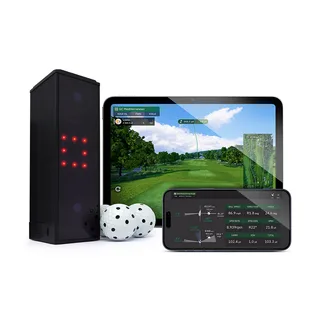
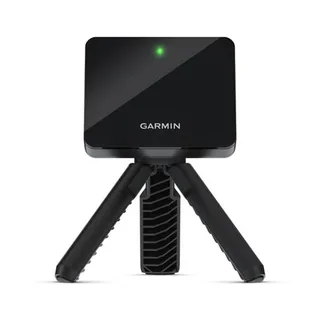
The Garmin R50 record places the unit beside the tee. The placement entry reads: "You must place the launch monitor approximately 1.5 ft. (0.5 m) to the side of the tee location." The unit must face the tee location and should sit at approximately the same height as the tee location. The technology field records cameras: "These features use internal cameras to record measurements that help you analyze your practice." The R50 carries placement instructions captured but no numeric room clearance. The Square Golf Home record also places the unit beside the ball. Its ball hitting zone entry reads: "Type Area for ball hitting Center Front-42cm, Right-23cm Dimension 15cm x 15cm," and its virtual shot zone entry reads: "Type Area for virtual shot Center Front-42cm Dimension 15cm x 15cm." The unit goes on flat ground at the same height as the golf ball, in a room with little to no sunlight. Its technology field records "high-speed camera and built-in infrared LED lighting." The record carries placement instructions with lighting and zone notes instead of numeric clearances.
Room checks after the comparison
This site separates what a manual states from what a room needs. This page carries only the two captured records above. The room dimensions page holds the space figures captured across models, since neither the R50 nor the Square Golf Home has its own requirements page yet. The ceiling validator compares measurements with captured mounting limits. It does not assess a personal swing. Those pages carry the numbers this page does not.
Related guides
Sources (3)
GSPro: GSPro Version 3
What launch monitor devices are supported?Read October 18, 2026
What launch monitor devices are supported? · Publication date not stated for this section
Garmin R50
What launch monitor devices are supported?Read October 18, 2026
What launch monitor devices are supported? · Publication date not stated for this section
Square (Home)
Garmin: Premium Golf Launch Monitor and Simulator
Launch Monitor Placement ConsiderationsRead October 18, 2026
Launch Monitor Placement Considerations · Publication date not stated for this section
You must place the launch monitor approximately 1.5 ft. (0.5 m) to the side of the tee location.
Using the Golf Simulator FeaturesRead October 18, 2026
Using the Golf Simulator Features · Publication date not stated for this section
These features use internal cameras to record measurements that help you analyze your practice.
Launch Monitor Placement ConsiderationsRead October 18, 2026
Launch Monitor Placement Considerations · Publication date not stated for this section
The launch monitor must face the tee location.
Launch Monitor Placement ConsiderationsRead October 18, 2026
Launch Monitor Placement Considerations · Publication date not stated for this section
For best results, you should place the launch monitor at approximately the same height as the tee location.
Square Golf: USER MANUAL SQGHE100A
BALL PLACEMENTRead October 18, 2026
BALL PLACEMENT · Publication date not stated for this section
Type Area for ball hitting Center Front-42cm, Right-23cm Dimension 15cm x 15cm
SETTING UP YOUR LAUNCH MONITORRead October 18, 2026
SETTING UP YOUR LAUNCH MONITOR · Publication date not stated for this section
Square Golf gives you ball and club data by capturing images with high-speed camera and built-in infrared LED lighting.
SETTING UP YOUR LAUNCH MONITORRead October 18, 2026
SETTING UP YOUR LAUNCH MONITOR · Publication date not stated for this section
The launch monitor should be placed on a flat ground at the same height as the golf ball.
SETTING UP YOUR LAUNCH MONITORRead October 18, 2026
SETTING UP YOUR LAUNCH MONITOR · Publication date not stated for this section
The launch monitor should be set up in a room with little to no sunlight.
BALL PLACEMENTRead October 18, 2026
BALL PLACEMENT · Publication date not stated for this section
Type Area for virtual shot Center Front-42cm Dimension 15cm x 15cm
This document supports the cited model or software requirement. We have not performed hands-on equipment testing.
GolfCompat provides planning information. Confirm the instructions for your exact equipment and have your room, swing clearance, and installation assessed before use. A listed equipment requirement does not certify personal safety.