
GolfCompat
Garmin R10 vs Square Golf Home: Space and Spec Records
The records differ in placement and sensing. The R10 sits behind the tee on radar, capturing 6 to 8 feet to the tee and 8 feet to the net; the Square Golf Home sits beside the ball on camera, with placement instructions, lighting and zone notes instead of numeric clearances. Neither record measures the space a swing needs.
Monitor comparison
Identification
Table help
Scroll sideways to read all columns. Keyboard: focus the table area and use the arrow keys.
| Record field | Garmin R10 | Square (Home) |
|---|---|---|
| Sensor placement | Behind the ball | Beside the ball |
| Measurement technology | radar | camera |
| Captured software listings | 3 | 3 |
Room measurements
Table help
Scroll sideways to read all columns. Keyboard: focus the table area and use the arrow keys.
| Monitor | Dimension | Measurement endpoints | Published value | Meaning |
|---|---|---|---|---|
| Garmin R10 | Sensor to ball | sensor position to tee | 6 ft (1828.8 mm) to 8 ft (2438.4 mm) | Setup range |
| Garmin R10 | Ball flight | tee to net impact plane | 8 ft (2438.4 mm) | Minimum |
What the Garmin R10 and Square Golf Home records carry
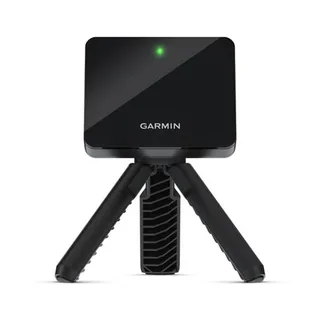
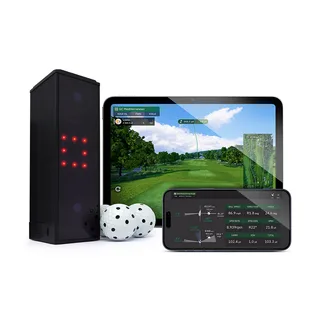
The R10 record places the sensor behind the tee and measures with radar. It captures 6 to 8 feet from the sensor position to the tee and at least 8 feet from the tee to the net impact plane. The Square Golf Home record places the unit beside the ball and measures with a high-speed camera and built-in infrared LED lighting. It carries placement instructions with lighting and zone notes instead of numeric clearances: a room with little to no sunlight and hitting zones for ball striking and virtual shots. Swing space and screen setback are not stated in the captured records.
Room checks after the comparison
GolfCompat states captured records and names where each one lives. The R10 distance fields sit on the Garmin R10 clearance page. Square Golf Home has no model space page on this site, so the room dimensions page covers the space questions its record leaves open. The ceiling check tool applies the same record method to room height.
Related guides
Sources (4)
GSPro: GSPro Version 3
What launch monitor devices are supported?Read November 2, 2026
What launch monitor devices are supported? · Publication date not stated for this section
Garmin R10
What launch monitor devices are supported?Read October 18, 2026
What launch monitor devices are supported? · Publication date not stated for this section
Square (Home)
Garmin: Preparing for a Shot
Preparing for a ShotRead November 2, 2026
Preparing for a Shot · Publication date not stated for this section
behind the tee location
Preparing for a ShotRead November 2, 2026
Preparing for a Shot · Publication date not stated for this section
bottom edge of the launch monitor sits above the mat
Preparing for a ShotRead November 2, 2026
Preparing for a Shot · Publication date not stated for this section
red alignment line is aligned
Preparing for a ShotRead November 2, 2026
Preparing for a Shot · Publication date not stated for this section
Place the launch monitor on the ground
Preparing for a ShotRead November 2, 2026
Preparing for a Shot · Publication date not stated for this section
Attach the launch monitor to the tripod mount
Preparing for a ShotRead October 18, 2026
Preparing for a Shot · Publication date not stated for this section
between 6 ft. and 8 ft.
Preparing for a ShotRead October 18, 2026
Preparing for a Shot · Publication date not stated for this section
at least 8 ft. (2.4 m) away from the net
Garmin: Accuracy of Approach R10 Radar
Radar AccuracyRead November 2, 2026
Radar Accuracy · Publication date not stated for this section
uses radar to analyze several metrics
Square Golf: USER MANUAL SQGHE100A
BALL PLACEMENTRead October 18, 2026
BALL PLACEMENT · Publication date not stated for this section
Type Area for ball hitting Center Front-42cm, Right-23cm Dimension 15cm x 15cm
SETTING UP YOUR LAUNCH MONITORRead October 18, 2026
SETTING UP YOUR LAUNCH MONITOR · Publication date not stated for this section
Square Golf gives you ball and club data by capturing images with high-speed camera and built-in infrared LED lighting.
SETTING UP YOUR LAUNCH MONITORRead October 18, 2026
SETTING UP YOUR LAUNCH MONITOR · Publication date not stated for this section
The launch monitor should be placed on a flat ground at the same height as the golf ball.
SETTING UP YOUR LAUNCH MONITORRead October 18, 2026
SETTING UP YOUR LAUNCH MONITOR · Publication date not stated for this section
The launch monitor should be set up in a room with little to no sunlight.
BALL PLACEMENTRead October 18, 2026
BALL PLACEMENT · Publication date not stated for this section
Type Area for virtual shot Center Front-42cm Dimension 15cm x 15cm
This document supports the cited model or software requirement. We have not performed hands-on equipment testing.
GolfCompat provides planning information. Confirm the instructions for your exact equipment and have your room, swing clearance, and installation assessed before use. A listed equipment requirement does not certify personal safety.