
GolfCompat
FlightScope Mevo+: Documented Connection Checks
GSPro’s FlightScope guide identifies Mevo+ as Wi-Fi only. Join its network from Windows before using Connect. The guide’s wired LAN instructions concern other FlightScope devices and should not be applied to Mevo+.
Placement and technology
- Name
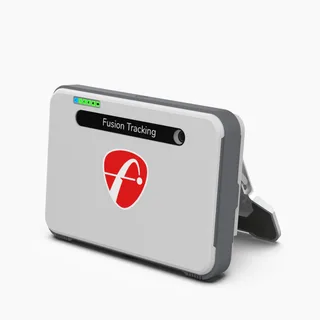
- Flightscope Mevo+
- Sensor placement
- Behind the ball
- Measurement technology
- radar
Room measurements
Table help
Scroll sideways to read all columns. Keyboard: focus the table area and use the arrow keys.
| Monitor | Dimension | Measurement endpoints | Published value | Meaning |
|---|---|---|---|---|
| Flightscope Mevo+ | Sensor to ball | sensor position to tee | 7 ft (2133.6 mm) to 9 ft (2743.2 mm) | Setup range |
| Flightscope Mevo+ | Ball flight | tee to net impact plane | 8 ft (2438.4 mm) | Minimum |
Check the exact device and connection
In Windows Wi-Fi settings, join the FlightScope device network. GSPro describes its password as the characters after “FS ” in the device name. Then use Connect. Its status surfaces show armed/ready state, battery level and placement tiles. Orange spin means the device reported an estimated spin reading; it is not a network diagnosis.
Apply only the documented next steps
After converting a GSPro license between device types, GSPro says clearing the Connect application is typically necessary. Use the named interface in its illustrated clear-settings guide, then restart GSPro to select the new type. The interfaces differ; use the vendor screenshots rather than a guessed sequence. The FlightScope guide labels advanced network changes as not recommended. Its documented defaults are IP address 192.168.2.1 and port 5100; confirm the exact device and current network before changing them. A listing of another brand does not supply a Mevo+ repair.
Source: GSProRead October 15, 2026
Basic Usage · Publication date not stated for this section
Although, Mevo+ only supports Wifi, other devices support wired connections.
Captured document guidance for the named model and software. It does not establish a diagnosis or a tested fix for an individual installation.
Source: GSProRead October 15, 2026
How To Clear GSPro Connect Settings · Publication date not stated for this section
Once completed, restart GSPro to be presented with the new selection options.
Captured document guidance for the named model and software. It does not establish a diagnosis or a tested fix for an individual installation.
Related guides
Sources (2)
GSPro: GSPro Version 3
What launch monitor devices are supported?Read October 18, 2026
What launch monitor devices are supported? · Publication date not stated for this section
Flightscope Mevo+
FlightScope: Where should the Mevo+ be placed?
Can Mevo+ be used indoors and outdoors? How much space is needed?Read October 18, 2026
Can Mevo+ be used indoors and outdoors? How much space is needed? · Publication date not stated for this section
Mevo+ will sit 8 feet behind the tee location.
Do X3C, Mevo Gen2, Mevo and Mevo+ work in low light conditions?Read October 18, 2026
Do X3C, Mevo Gen2, Mevo and Mevo+ work in low light conditions? · Publication date not stated for this section
Radar technology does not require direct sunlight for accurate measurement and is completely unaffected by low light conditions.
FlightScope answers this low-light question for the X3C, Mevo Gen2, Mevo and Mevo+ together. The same answer says Advanced Fusion Tracking needs 300 lux within a 3 foot radius of the hitting location. GolfCompat has not tested the unit.
Can Mevo+ be used indoors and outdoors? How much space is needed?Read October 18, 2026
Can Mevo+ be used indoors and outdoors? How much space is needed? · Publication date not stated for this section
7-9 feet sensor to tee distance
Can Mevo+ be used indoors and outdoors? How much space is needed?Read October 18, 2026
Can Mevo+ be used indoors and outdoors? How much space is needed? · Publication date not stated for this section
8 feet of ball flight minimim
This document supports the cited model or software requirement. We have not performed hands-on equipment testing.
GolfCompat provides planning information. Confirm the instructions for your exact equipment and have your room, swing clearance, and installation assessed before use. A listed equipment requirement does not certify personal safety.