
GolfCompat
Rapsodo MLM2PRO: Software and Room Planning
Check Rapsodo MLM2PRO software support and room requirements before choosing a setup.
Placement and technology
- Name
- Rapsodo MLM2Pro
- Sensor placement
- Behind the ball
- Measurement technology
- hybrid
Software support
Publisher listings only. GolfCompat has not tested these pairings.
Table help
Scroll sideways to read all columns. Keyboard: focus the table area and use the arrow keys.
| Monitor / software | Support | Connection evidence | Listed by | Publication tier | Complete requirements |
|---|---|---|---|---|---|
Rapsodo MLM2Pro | Support documented | Publisher connection guide | Software publisher | Listing published by GSPro | Listing only; requirements not stated by GSPro |
Requirements and source notesConfirm unstated requirements with the manufacturer before buying. Compatibility as published by GSPro; read by GolfCompat on October 18, 2026. GolfCompat has not tested this pairing. Source cautions
| |||||
Rapsodo MLM2Pro | Conditional support | Not stated by Rapsodo | Monitor manufacturer | Listing published by Rapsodo | Listing only; requirements not stated by Rapsodo |
Requirements and source notesConfirm unstated requirements with the manufacturer before buying. Compatibility as published by Rapsodo; read by GolfCompat on October 27, 2026. GolfCompat has not tested this pairing. Source cautions
| |||||
Rapsodo MLM2Pro Awesome Golf | Conditional support | Selected inside the simulator software | Software publisher | Listing published by Awesome Golf | Listing only; requirements not stated by Awesome Golf |
Requirements and source notesConfirm unstated requirements with the manufacturer before buying. Compatibility as published by Awesome Golf; read by GolfCompat on October 18, 2026. GolfCompat has not tested this pairing. Source cautions
| |||||
Room measurements
Table help
Scroll sideways to read all columns. Keyboard: focus the table area and use the arrow keys.
| Monitor | Dimension | Measurement endpoints | Published value | Meaning |
|---|---|---|---|---|
| Rapsodo MLM2Pro | Sensor to ball | sensor position to ball | 6.5 ft (1981.2 mm) to 8.5 ft (2590.8 mm) | Setup range |
| Rapsodo MLM2Pro | Ball flight | ball to net impact plane | 8 ft (2438.4 mm) | Minimum |
Rapsodo MLM2PRO: the model-specific check
Rapsodo’s FAQ places the MLM2PRO 6.5 to 8.5 feet behind the ball and asks for 8 feet from ball to net, a little more than 14 feet in total. Rapsodo’s product page describes two cameras plus Doppler radar, so the record lists the sensor type as hybrid. Membership terms and the connection steps for each simulator title are separate checks on the software rows.
Before buying
Confirm the host computer, required software plans, and exact hardware variant before ordering. A source link establishes the cited claim; it does not supply an installation assessment or guarantee that a seller’s bundle includes every required component.
Uneekor’s EYE XO record lists high-speed photometric infrared cameras and an overhead mount instead of a position behind the ball.
MLM2PRO balls and package contents
Rapsodo distinguishes ordinary ball use from measured spin. Its FAQ requires a Titleist or Callaway RPT ball to show spin numbers. Match the RPT marking on the exact ball; the brand or Pro V1 name alone does not identify an RPT ball.
The direct-purchase FAQ lists the monitor, tripod, charging cable, quick start guide and a three-ball RPT sleeve. It names Callaway Chrome Tour or Titleist PRO V1 RPT for that sleeve. A retailer package can differ. Confirm its contents separately.
Keep RPT and Titleist RCT as separate product labels. The Rapsodo statement does not establish that an RCT ball supplies MLM2PRO spin measurements. Check the membership records separately from the ball, and use the MLM2PRO room measurements before choosing a net.
Source: RapsodoRead October 14, 2026
Do I need to use the RPT-patterned golf balls? · Publication date not stated for this section
A Titleist or Callaway® RPT™ Golf Ball is required to show spin numbers.
The same FAQ distinguishes normal operation with a regular ball from measured spin with RPT balls, and lists current direct-purchase contents. Exact retailer bundles require their own check.
Rapsodo’s current membership page names Core and Studios. It does not state a trial length for Core. The software publishers’ Premium requirement has not been matched to a current plan. Confirm the plan and activation terms before buying.
Source: RapsodoRead October 16, 2026
What is the difference between the Core and Rapsodo Studios memberships for the MLM2XPRO and MLM2PRO? · Publication date not stated for this section
Core ($199.99 per year)
The current US membership page names Core and Studios. It states no Core trial length and does not identify the current plan that satisfies the Premium access named by software publishers. No renewal, trial or third-party entitlement grant is inferred.
Compare the mat and containment measurements with the finished hitting surface.
As an Amazon Associate I earn from qualifying purchases. GolfCompat may earn a commission through these links. Read our affiliate disclosure.
Buying options for referenced products
Check the selected model, package contents, seller, condition and warranty before checkout. Software licenses and memberships follow the separate compatibility and subscription records on this site.
- Rapsodo MLM2PRO with three PRO V1 RPT balls on Amazon
This listing title identifies the MLM2PRO with three PRO V1 RPT balls. Confirm the RPT marking, package contents and membership eligibility before checkout.
The captured offer did not state the selected condition. Manufacturer-authorized warranty coverage is not independently verified. Check the current seller, condition, package and warranty before checkout.
Related guides
More related guides
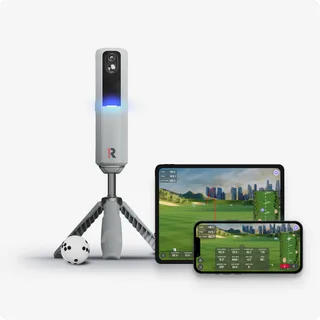
Rapsodo MLM2PRO software support
rapsodo mlm2pro not connecting
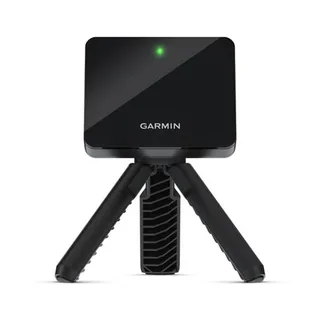
golf simulator room dimensions
Rapsodo MLM2PRO space requirements
MLM2PRO vs Square Golf
Garmin R10 vs Rapsodo MLM2PRO
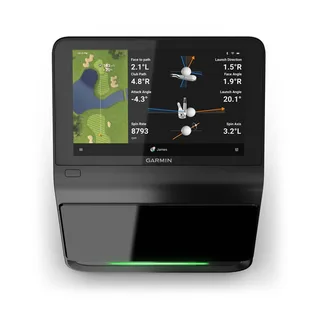
Garmin R50 vs Rapsodo MLM2PRO
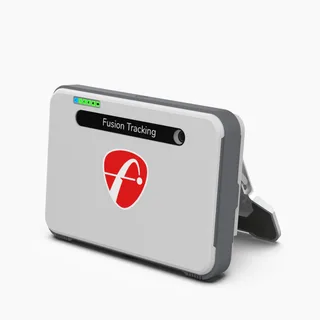
Rapsodo MLM2PRO vs FlightScope Mevo+
Rapsodo MLM2PRO vs Uneekor Eye XO
Rapsodo MLM2PRO vs Uneekor Eye XO2
Sources (6)
GSPro: GSPro
What launch monitor devices are supported?Read October 27, 2026
What launch monitor devices are supported? · Publication date not stated for this section
Rapsodo MLM2Pro
What launch monitor devices are supported?Read October 18, 2026
What launch monitor devices are supported? · Publication date not stated for this section
Rapsodo MLM2Pro
GSPro Annual SubscriptionRead October 18, 2026
GSPro Annual Subscription · Publication date not stated for this section
The MLM2Pro requires a Premium Membership from Rapsodo
Rapsodo: Frequently Asked Golf Questions - Rapsodo Golf
What are the ideal space requirements to set up MLM2PRO™ indoors?Read October 27, 2026
What are the ideal space requirements to set up MLM2PRO™ indoors? · Publication date not stated for this section
6.5-8.5 feet behind the ball
What are the ideal space requirements to set up MLM2PRO™ indoors?Read October 18, 2026
What are the ideal space requirements to set up MLM2PRO™ indoors? · Publication date not stated for this section
6.5-8.5 feet behind the ball
What are the ideal space requirements to set up MLM2PRO™ indoors?Read October 18, 2026
What are the ideal space requirements to set up MLM2PRO™ indoors? · Publication date not stated for this section
8 feet is needed from ball to the net
Rapsodo: Rapsodo® MLM2PRO Mobile Launch Monitor + Golf Simulator
Meet MLM2PRO. It's time to upgrade your game.Read October 27, 2026
Meet MLM2PRO. It's time to upgrade your game. · Publication date not stated for this section
Stacked with two advanced cameras plus Doppler Radar to provide video feedback and precise measurement on all golf shots.
Simulation PlatformsRead October 27, 2026
Simulation Platforms · Publication date not stated for this section
Connect with popular third-party simulation platforms like GSPRO, E6 and Awesome Golf.
The current MLM2PRO manufacturer page names E6 Connect as compatible with this device. This listing does not verify a tested connection, a Core or Studios entitlement, or complete purchase requirements.
GSPro: GSPro + Rapsodo MLM2Pro Connection Guide
Getting Connected:Read October 18, 2026
Getting Connected: · Publication date not stated for this section
The Rapsodo MLM2Pro connects to your Windows PC via Bluetooth.
Awesome Golf: Rapsodo MLM2PRO Premium Subscription and Awesome Golf
Rapsodo MLM2PRO Premium Subscription and Awesome GolfRead October 18, 2026
Rapsodo MLM2PRO Premium Subscription and Awesome Golf · Publication date not stated for this section
Rapsodo MLM2PRO Launch Monitors require an active Rapsodo Premium Subscription for the Launch Monitor to allow it to be used with Awesome Golf Simulator.
Awesome Golf requires an active Rapsodo Premium subscription in addition to its own simulator license. Current Core-to-Premium entitlement remains unverified.
Awesome Golf: Connect Your Rapsodo MLM2PRO
Bluetooth Connection - iOS/iPadOS, Android, MacOS & Windows (PC)Read October 18, 2026
Bluetooth Connection - iOS/iPadOS, Android, MacOS & Windows (PC) · Publication date not stated for this section
The Bluetooth Simulator App method allows you to connect your Rapsodo MLM2PRO directly to the device running Awesome Golf Simulator using Bluetooth pairing and the Rapsodo MLM2PRO app.
This document supports the cited model or software requirement. We have not performed hands-on equipment testing.
GolfCompat provides planning information. Confirm the instructions for your exact equipment and have your room, swing clearance, and installation assessed before use. A listed equipment requirement does not certify personal safety.