
GolfCompat
FlightScope Mevo+ vs Garmin R10: Space and Spec Records
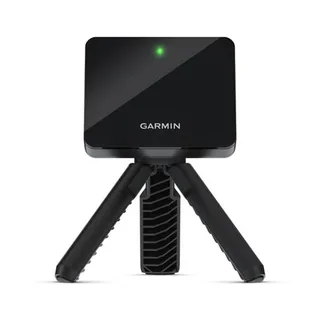
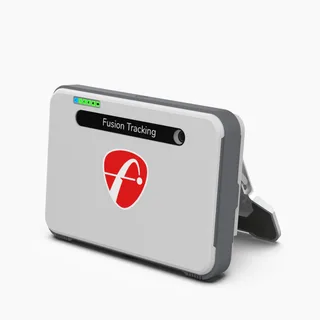
Both records place the sensor behind the tee on radar, and the rear distance ranges differ. The Mevo+ captures 7 to 9 feet behind the tee and 8 feet of ball flight; the R10 captures 6 to 8 feet behind the tee and 8 feet to the net. Neither record measures the space a swing needs.
Monitor comparison
Identification
Table help
Scroll sideways to read all columns. Keyboard: focus the table area and use the arrow keys.
| Record field | Flightscope Mevo+ | Garmin R10 |
|---|---|---|
| Sensor placement | Behind the ball | Behind the ball |
| Measurement technology | radar | radar |
| Captured software listings | 5 | 3 |
Room measurements
Table help
Scroll sideways to read all columns. Keyboard: focus the table area and use the arrow keys.
| Monitor | Dimension | Measurement endpoints | Published value | Meaning |
|---|---|---|---|---|
| Garmin R10 | Sensor to ball | sensor position to tee | 6 ft (1828.8 mm) to 8 ft (2438.4 mm) | Setup range |
| Garmin R10 | Ball flight | tee to net impact plane | 8 ft (2438.4 mm) | Minimum |
| Flightscope Mevo+ | Sensor to ball | sensor position to tee | 7 ft (2133.6 mm) to 9 ft (2743.2 mm) | Setup range |
| Flightscope Mevo+ | Ball flight | tee to net impact plane | 8 ft (2438.4 mm) | Minimum |
What the FlightScope Mevo+ and Garmin R10 records carry
The Mevo+ record places the sensor behind the tee and measures with radar. It captures 7 to 9 feet from the sensor position to the tee and 8 feet of ball flight from the tee to the net impact plane. The R10 record places the sensor behind the tee and measures with radar. It captures 6 to 8 feet from the sensor position to the tee and at least 8 feet from the tee to the net impact plane. Swing space, screen setback, and containment are not stated in the captured records.
Room checks after the comparison
GolfCompat comparison pages restate captured records and stop there. The full Mevo+ distance record lives on the FlightScope Mevo+ requirements page, and the R10 distance record lives on the Garmin R10 requirements page. The ceiling validator applies the same captured-record method to room height.
Related guides
Sources (4)
GSPro: GSPro Version 3
What launch monitor devices are supported?Read October 18, 2026
What launch monitor devices are supported? · Publication date not stated for this section
Flightscope Mevo+
What launch monitor devices are supported?Read November 2, 2026
What launch monitor devices are supported? · Publication date not stated for this section
Garmin R10
FlightScope: Where should the Mevo+ be placed?
Can Mevo+ be used indoors and outdoors? How much space is needed?Read October 18, 2026
Can Mevo+ be used indoors and outdoors? How much space is needed? · Publication date not stated for this section
Mevo+ will sit 8 feet behind the tee location.
Do X3C, Mevo Gen2, Mevo and Mevo+ work in low light conditions?Read October 18, 2026
Do X3C, Mevo Gen2, Mevo and Mevo+ work in low light conditions? · Publication date not stated for this section
Radar technology does not require direct sunlight for accurate measurement and is completely unaffected by low light conditions.
FlightScope answers this low-light question for the X3C, Mevo Gen2, Mevo and Mevo+ together. The same answer says Advanced Fusion Tracking needs 300 lux within a 3 foot radius of the hitting location. GolfCompat has not tested the unit.
Can Mevo+ be used indoors and outdoors? How much space is needed?Read October 18, 2026
Can Mevo+ be used indoors and outdoors? How much space is needed? · Publication date not stated for this section
7-9 feet sensor to tee distance
Can Mevo+ be used indoors and outdoors? How much space is needed?Read October 18, 2026
Can Mevo+ be used indoors and outdoors? How much space is needed? · Publication date not stated for this section
8 feet of ball flight minimim
Garmin: Preparing for a Shot
Preparing for a ShotRead November 2, 2026
Preparing for a Shot · Publication date not stated for this section
behind the tee location
Preparing for a ShotRead November 2, 2026
Preparing for a Shot · Publication date not stated for this section
bottom edge of the launch monitor sits above the mat
Preparing for a ShotRead November 2, 2026
Preparing for a Shot · Publication date not stated for this section
red alignment line is aligned
Preparing for a ShotRead November 2, 2026
Preparing for a Shot · Publication date not stated for this section
Place the launch monitor on the ground
Preparing for a ShotRead November 2, 2026
Preparing for a Shot · Publication date not stated for this section
Attach the launch monitor to the tripod mount
Preparing for a ShotRead October 18, 2026
Preparing for a Shot · Publication date not stated for this section
between 6 ft. and 8 ft.
Preparing for a ShotRead October 18, 2026
Preparing for a Shot · Publication date not stated for this section
at least 8 ft. (2.4 m) away from the net
Garmin: Accuracy of Approach R10 Radar
Radar AccuracyRead November 2, 2026
Radar Accuracy · Publication date not stated for this section
uses radar to analyze several metrics
This document supports the cited model or software requirement. We have not performed hands-on equipment testing.
GolfCompat provides planning information. Confirm the instructions for your exact equipment and have your room, swing clearance, and installation assessed before use. A listed equipment requirement does not certify personal safety.